

1-Minute Lesson 10 Shutter Speed – Freezing or Showing Motion
May 02, 2026
Lesson 10 in Photography 101
Shutter Speed – Freezing or Showing Motion


4
Shutter speed controls how long your camera sensor sees light.
It doesn’t just affect brightness.
It controls motion.
⚡ Fast Shutter Speed (1/1000 – 1/4000)
Use it to:
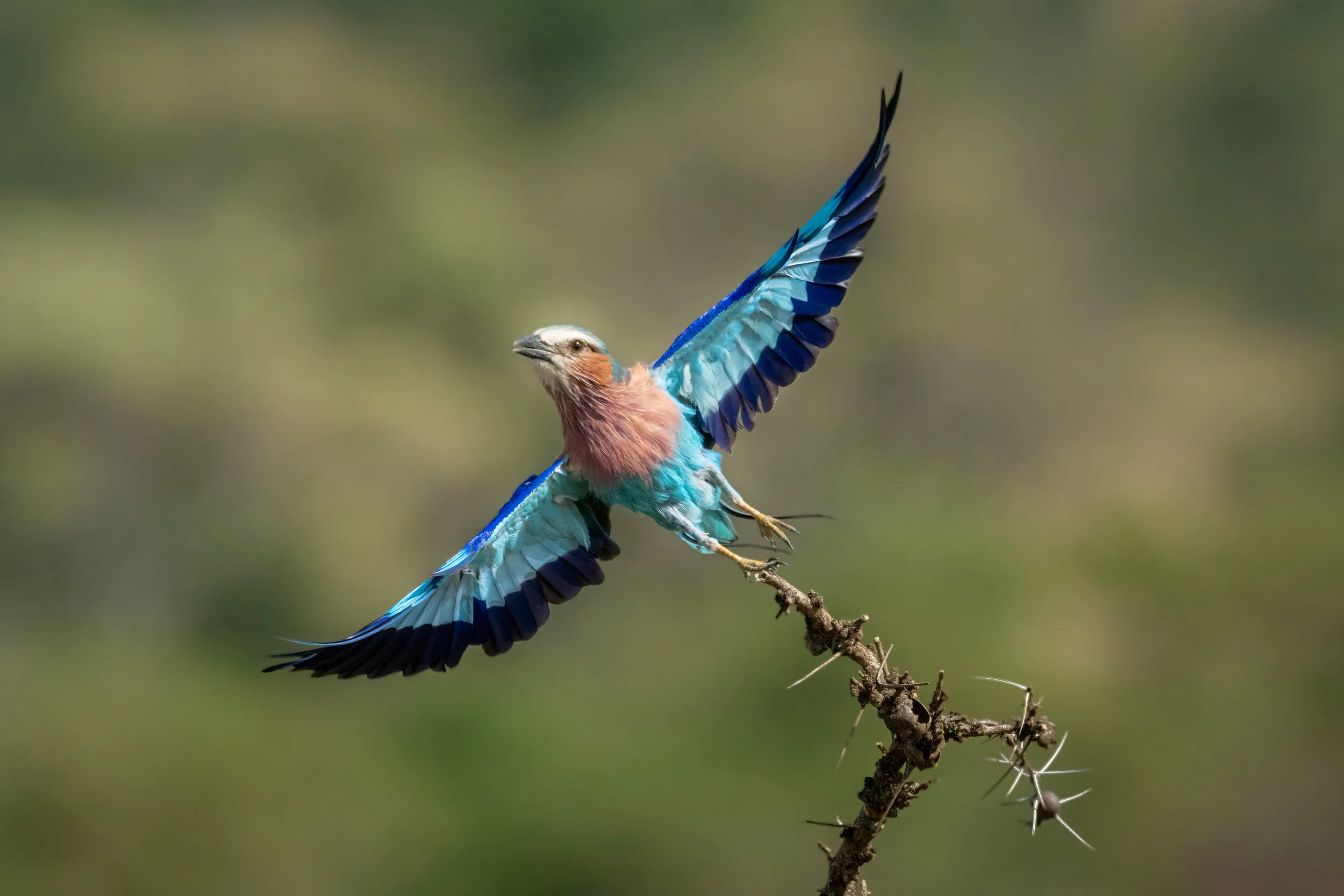
- Freeze birds in flight
- Capture sports
- Stop splashing water
- Photograph wildlife movement
The faster the shutter → the sharper fast action becomes.
👉 If your photo is blurry when it shouldn’t be, your shutter may be too slow.
🌊 Slow Shutter Speed (1/30 – several seconds)
Use it to:
- Blur waterfalls
- Show movement in crowds
- Create light trails at night
- Add artistic motion
Slower shutter → more motion blur.
You may need:
- A tripod
- Lower ISO
- Smaller aperture
🚶 Panning (Creative Motion)
Follow a moving subject while shooting at a slower shutter speed.
Result: Sharp subject, blurred background.
This adds energy and drama.
📌 Challenge:
Photograph:
- Something frozen in motion
- Something intentionally blurred
Post both and explain your settings. https://www.facebook.com/groups/1236820218316346

